Question: How do I make trading chests? / How do I use TradeShop?
We’ve decided to add the TradeShop plugin in order to make an easy and efficient trading system that works even when players are offline. The plugin helps us achieve that through chests which are used for trading.
Related Links
TradeShop Basics
There are two type of shops you can setup with the plugin, you can set them through commands or by specifying the shop type on the first line of a sign.
- The shop types are:
- Trade shops
- They offer a product for a specific price.
- People can only buy from this shop type.
- BiTrade (Bidirectional Trade) shops
- They offer a product for a specific price.
- People can both buy and sell from/to this shop type.
- (This means people can buy the product from you, and also sell the product to you if they’d like)
- Trade shops
How to Setup: Trade Shops
- Start by placing down a chest.
- Put a sign that is attached to the chest which you’ll use to write down the information of your shop
[Trade]⇐ This will set the shop type to “Trade”.{Amount} {Item_ID}⇐ This will decide the product you’re selling.{Amount} {Item_ID}⇐ This will decide the cost/price of the product you’re selling.
- Leave the fourth line empty and exit out of the sign editor for the shop to be established.
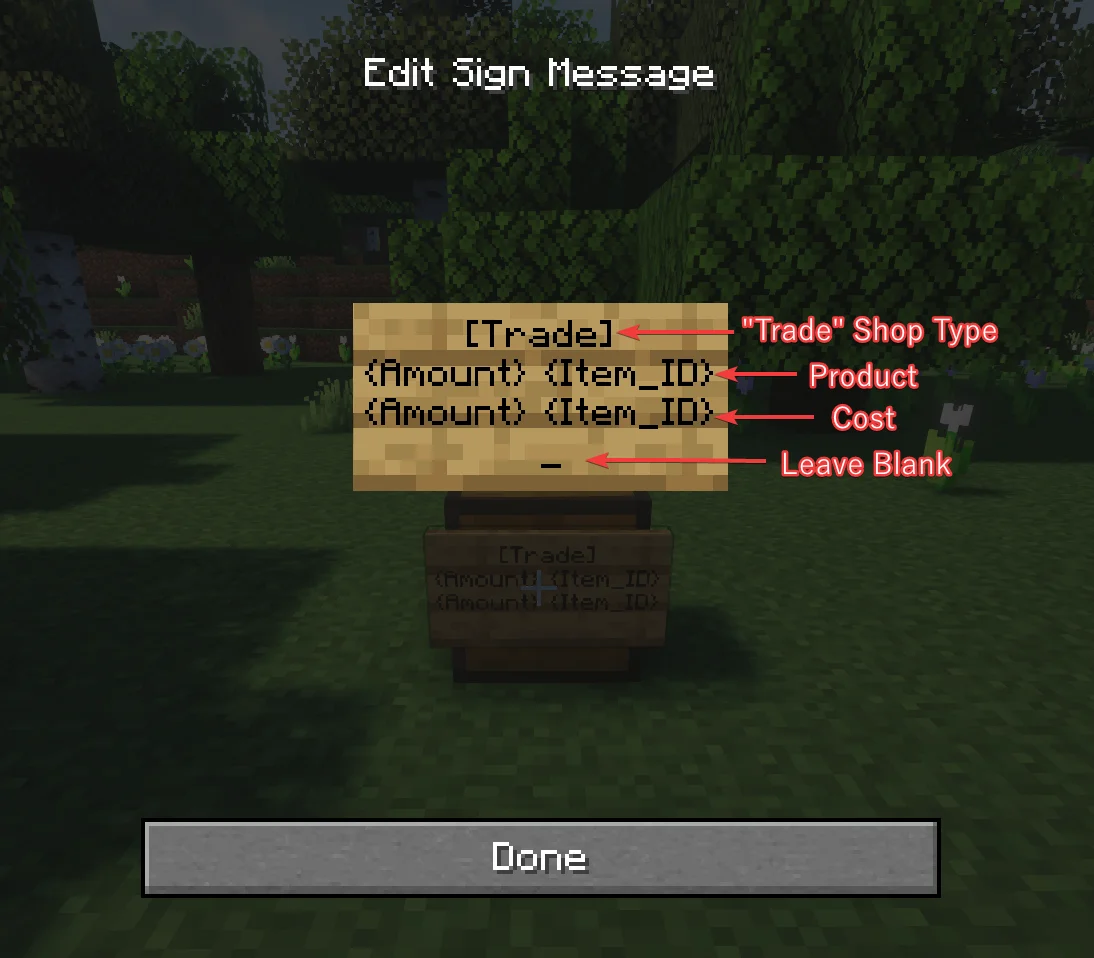
" Trade" Type Shop Example:
- Sign:
[Trade]2 Diamond16 Iron IngotThis example would give you a “Trade” shop that is offering 2 Diamonds for the price of 16 Iron Ingots. People can only buy from this shop type.
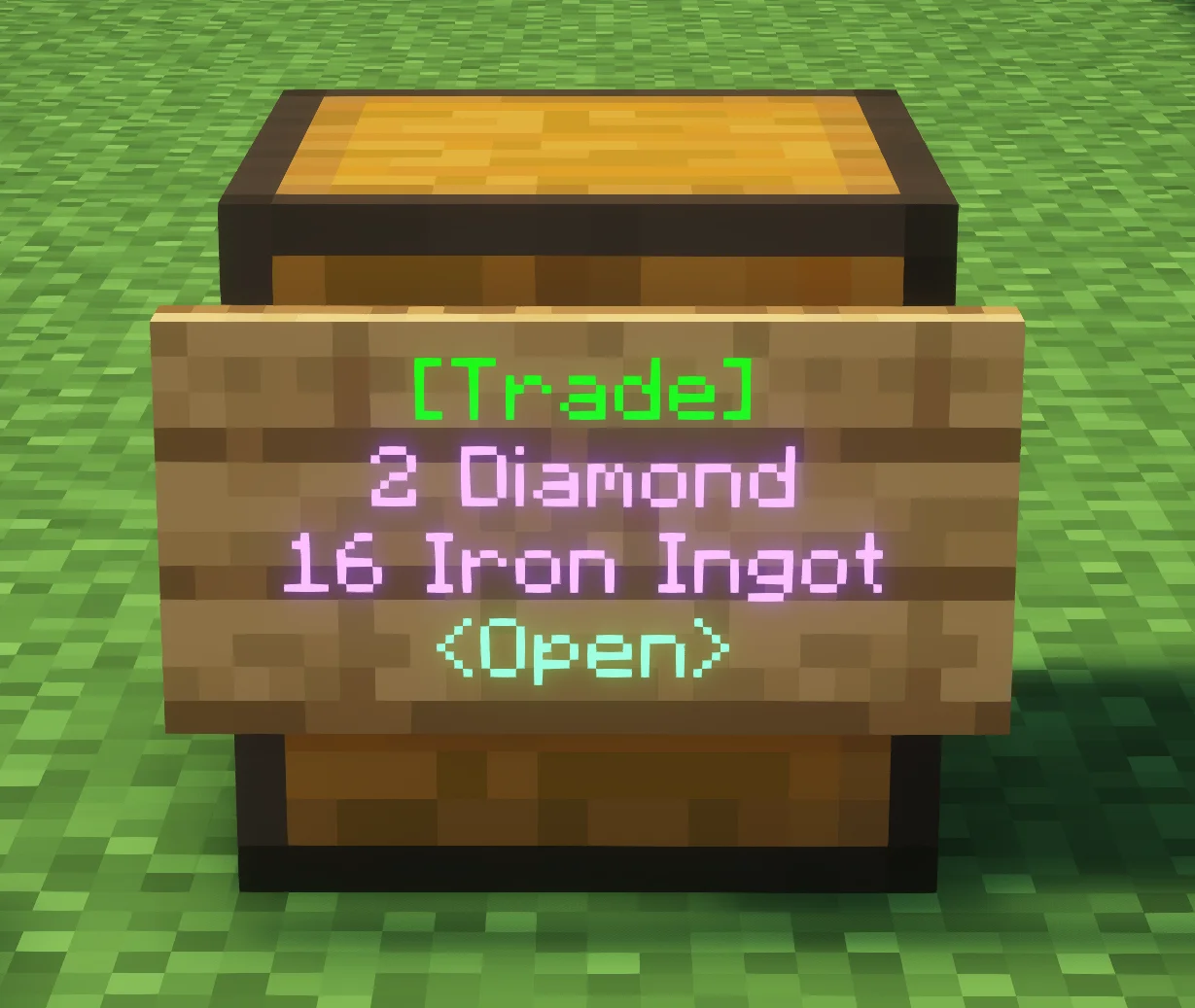
How to Setup: BiTrade Shops
- Start by placing down a chest.
- Put a sign that is attached to the chest which you’ll use to write down the information of your shop
[BiTrade]⇐ This will set the shop type to “BiTrade”.{Amount} {Item_ID}⇐ This will decide the product you’re selling.{Amount} {Item_ID}⇐ This will decide the cost/price of the product you’re selling.
- Leave the fourth line empty and exit out of the sign editor for the shop to be established.
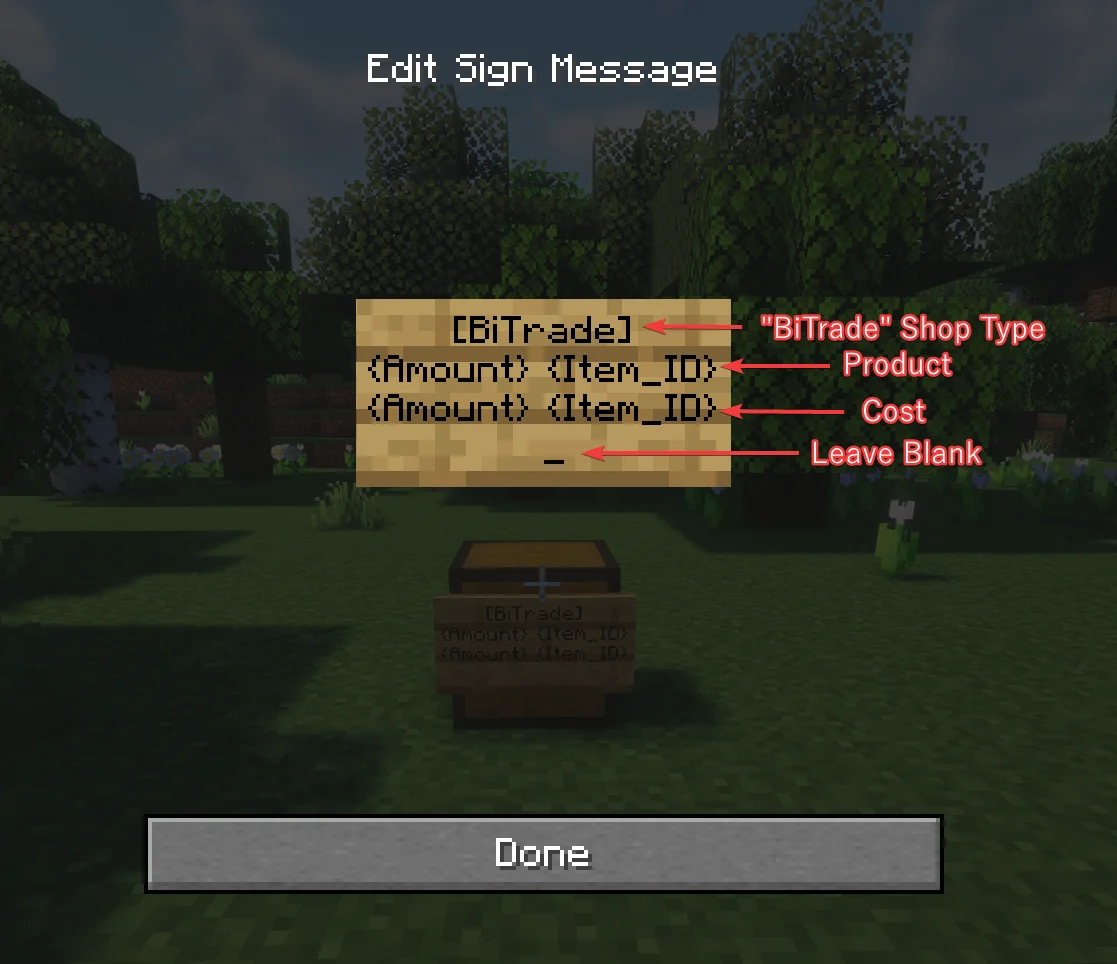
" BiTrade" Type Shop Example:
- Sign:
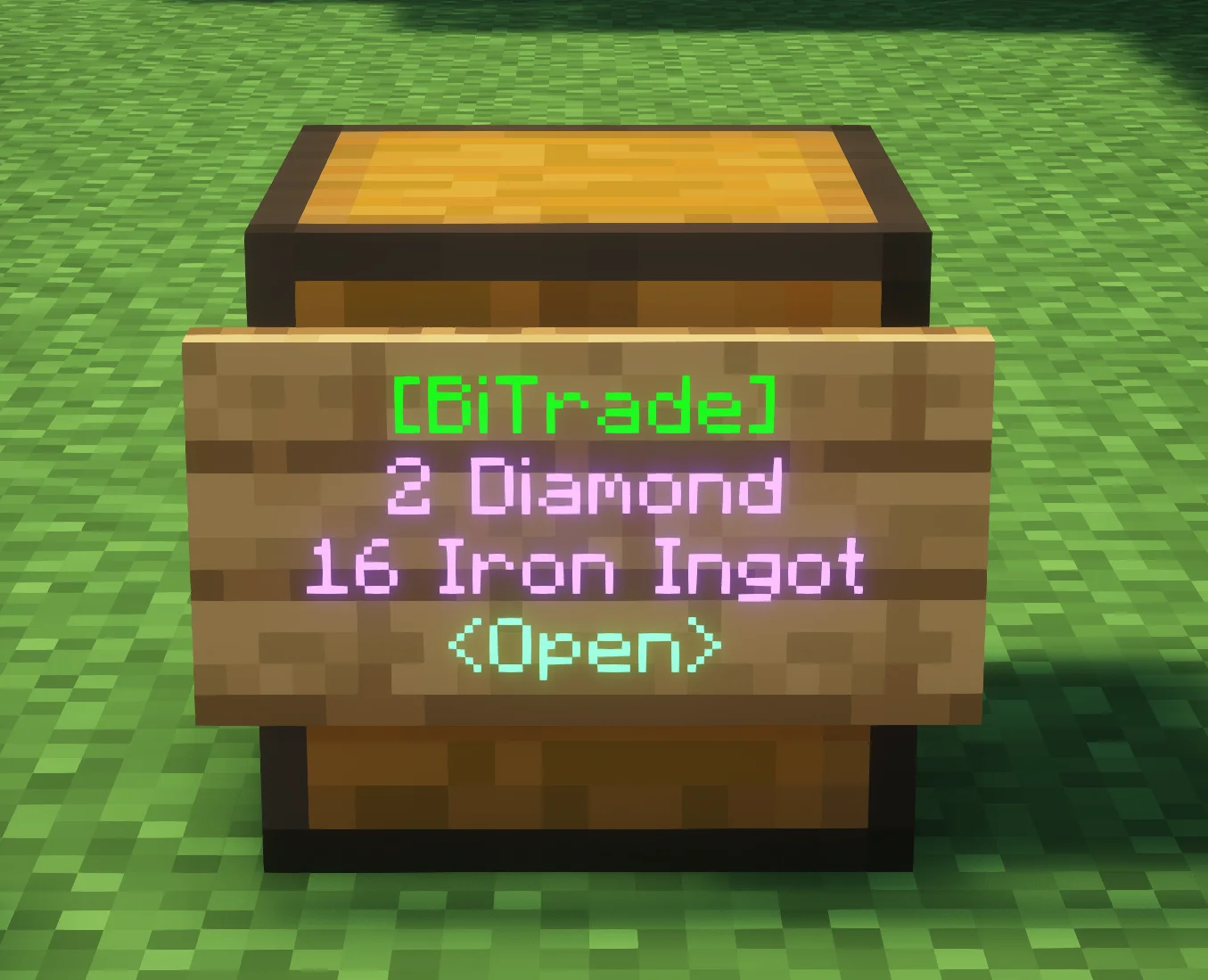
- [BiTrade]
- 2 Diamond
- 16 Iron Ingot
This example would give you a “BiTrade” shop that is offering 2 Diamonds for the price of 16 Iron Ingots. People can both buy and sell from/to this shop type.
Basic Commands
Other Shop Management
/TradeShop close- This command allows the player to close a shop they are looking at if they are a user that is capable of closing it.
/TradeShop open- This command allows the player to open a shop they are looking at if they are a user that is capable of opening it.
/TradeShop switch/TradeShop edit- This command allows the player to open an edit GUI for the shop they are looking at. The GUI allows graphical editing of Users, Products, and Costs.
/TradeShop create- This command allows the player to turn the sign they look at into a Trade Sign
/TradeShop createbi- This command allows the player to turn the sign they look at into a BiTrade Sign
User Management
/TradeShop addManager {PLAYER}- This command allows the player to add managers to a shop that they are an owner of.
/TradeShop addMember {PLAYER}- This command allows the player to add members to a shop that they are an owner or manager of.
/TradeShop removeUser {PLAYER}- This command allows the player remove users of a shop with a lower rank then them.
Full list of commands
- You can find the full list of commands on the TradeShop Commands website.
- By default, players have access to the following permissions:
Create,CreateBi,Edit,Info.
Extra Info: FAQ from Wiki
(?) Players cannot buy from shops. Instead they get a message about the shop being closed.
- The shop is closed to buyers. To allow for trade, look at the shop and issue the command
/tradeshop open.- Hint: to reverse this, you can close shops by using
/tradeshop close.
(?) How do I add items with long names or with special metadata?
- Use the commands:
/ts addcost,setcost,addproduct,setproductwhile holding the item in your hand.