Question: How do I protect my builds? / How do I use the claim plugin?
We’re using the GriefPrevention claim plugin on our server at the moment.
This plugin allows you to claim areas to fully secure them and choose which parts of your claim you’d like to share with specific players.
Related Links:
Claim Plugin Essentials
Start by using the /kit claim command in chat.
- This will provide you with 3 items, being the:
- Claim Shovel
- GriefPrevention simple guide book
- A stick
How to See Claim Blocks
- You can see how many claim blocks you have by holding out the Claim Shovel, which will display the amount in chat.
How to Claim Land
Claiming land is done through the Claim Shovel.
- Select the Claim Shovel from your hotbar.
- Right-click a block with it to set your first claim corner. It will be indicated by a diamond block.
- Decide where your claim will end, and right click the block to set the second claim corner.
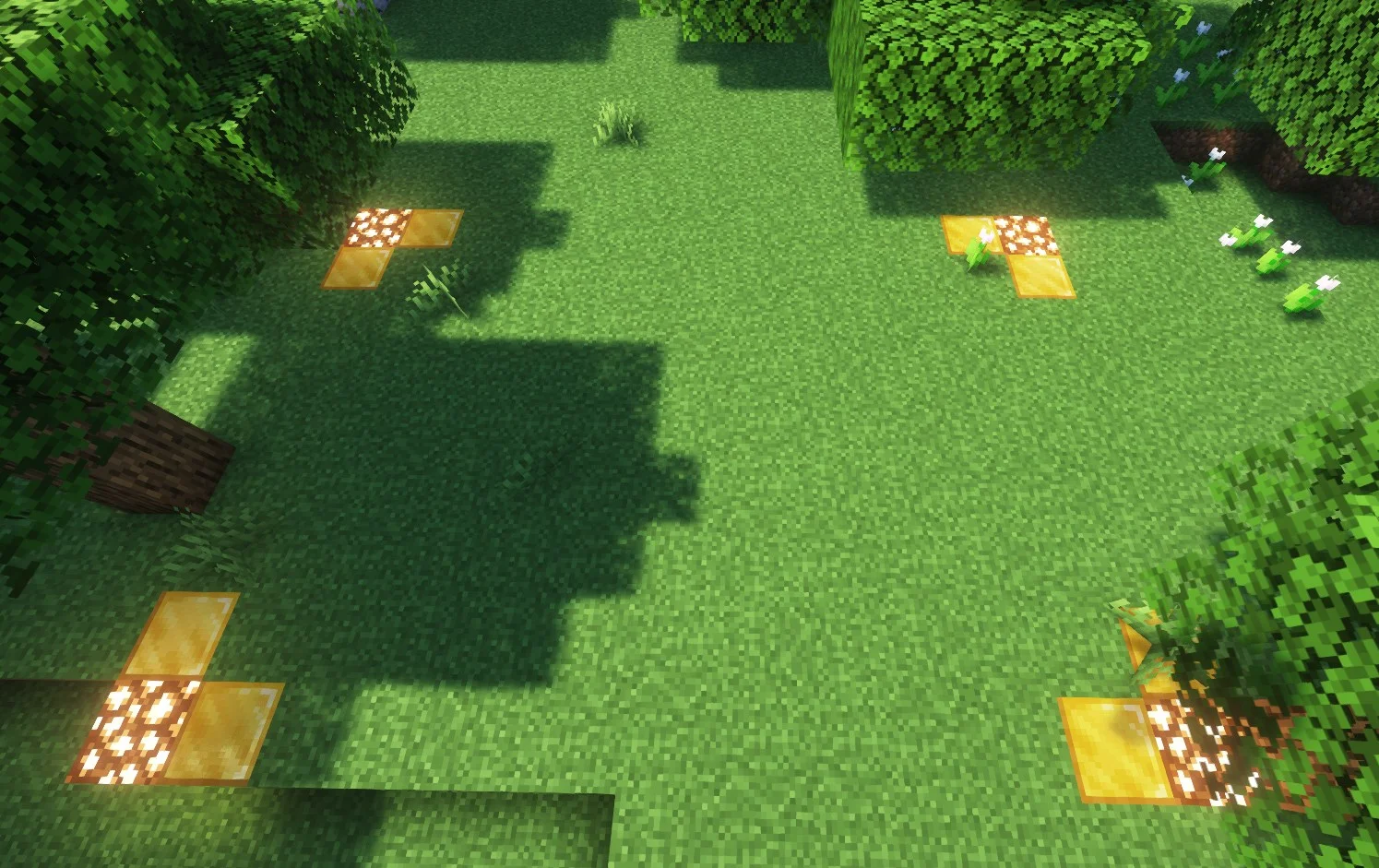
- In the end, you’ll be able to see your claim parameters displayed as glowstone and gold blocks, they’ll look like this:
Stick Usage
- The stick can be used to inspect blocks and see which claim they belong to.
- This can be done by right-clicking blocks with the stick.
Automatic Chest Claiming
- One of the features of GriefPrevention is that when you place down a chest, it’ll attempt to claim the area around it in order to prevent breakage and theft.
Basic Commands
/AbandonClaim- Deletes the claim you’re standing in.
/AbandonAllClaims- Deletes all of your claims.
/Trust {PLAYER}- Gives another player permission to edit in your claim.
/UnTrust {PLAYER}- Opposite of
/Trust. Revokes any permissions granted to a player in your claim.
- Opposite of
/AccessTrust {PLAYER}- Gives a player permission to use your buttons, levers, and beds.
/ContainerTrust {PLAYER}- Gives a player permission to use your buttons, levers, beds, crafting gear, containers, and animals.
/TrustList {PLAYER}- Lists the permissions for the claim you’re standing in.
/ClaimsList {PLAYER}- Lists a player’s claims and claim block details.
/GiveClaim {PLAYER}- Gives your claimed area to another player.
/Trapped- Gets a player out of a land claim he’s trapped inside.
Full list of commands
- You can find the full list of commands on the GriefPrevention Commands website.